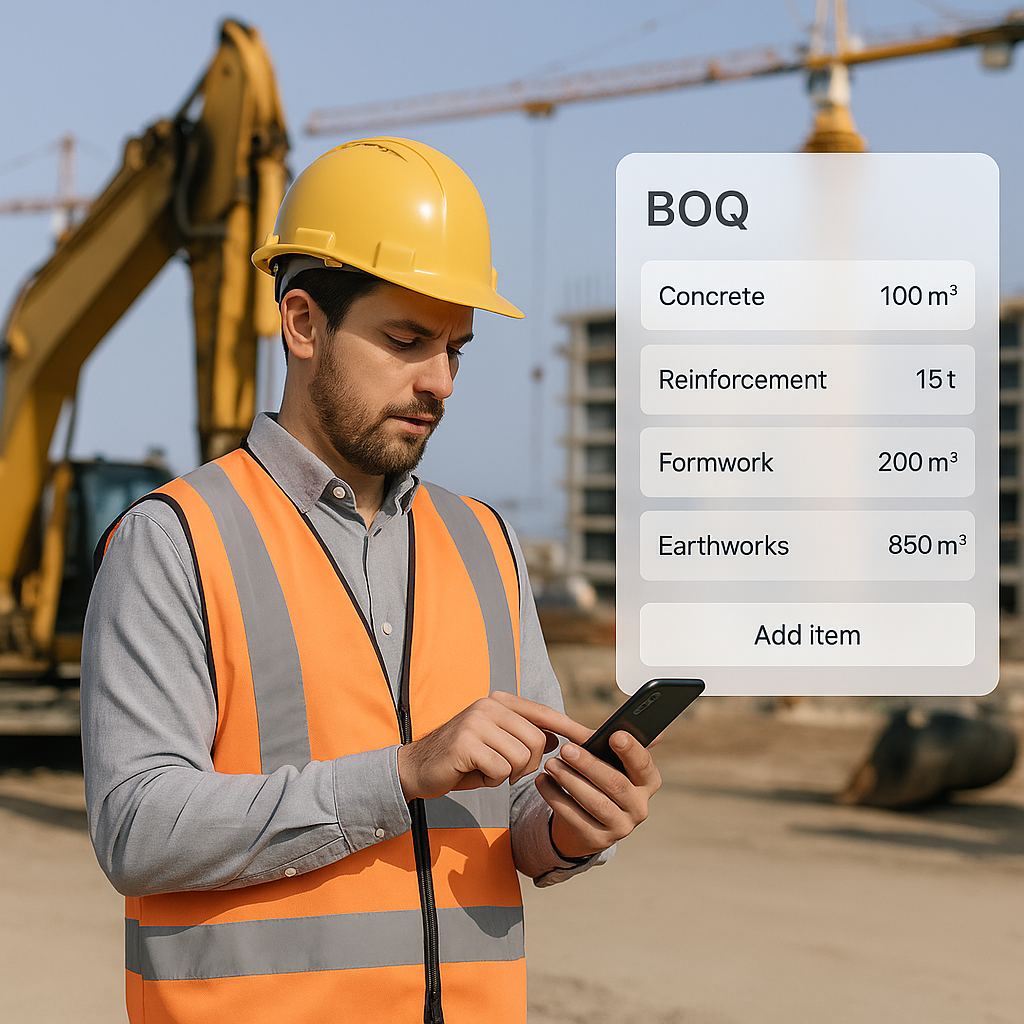
Why Your RFP Response Needs a Better BOQ Process
Let’s be honest. Most RFP responses fail for the same reason: the Bill of Quantities (BOQ) is rushed, incomplete, or just plain wrong. Why? Because contractors still rely on desktop tools to piece it together after leaving the site.
Think about it. You’re on-site, assessing scope, materials, and manpower. You jot notes on paper or snap some photos. Then, you head back to the office, manually key everything into your ERP, and hope you didn’t miss anything. By the time the BOQ is ready, days have passed. Worse, the details might already be stale.
This lag kills your chances of winning bids. Clients want fast, accurate responses. If you’re still stuck in the old workflow, you’re not just slow—you’re unreliable.
The Fix: Build the BOQ On-Site
Here’s what works: create your BOQ while you’re still at the site. Capture scope details, material quantities, and manpower needs in real time. This approach gives you two big advantages:
- Speed: You can generate a complete BOQ the same day, not three days later.
- Accuracy: Details are fresh in your mind, and you can cross-check them on the spot.
Actionable Steps
Here’s how to implement this on-site BOQ process effectively:
- Use a Mobile Tool: Switch from paper notes or spreadsheets to a mobile-first BOQ builder. Tools like BidNext allow you to enter scope lines, quantities, and rates directly from your phone.
- Standardize Inputs: Create a checklist of materials, equipment, and labor categories you need to assess on-site. This ensures no detail is overlooked.
- Verify as You Go: Double-check scope lines and quantities while still at the site. If something doesn’t add up, you can clarify it immediately.
Case Study: Residential Plumbing Project
Imagine you’re responding to an RFP for a residential plumbing project. Instead of jotting down notes and hoping for the best, you use BidNext to:
- Break down the scope into line items like pipes, fixtures, and fittings.
- Attach photos of existing plumbing conditions.
- Input material costs and labor hours directly into the app.
By the time you leave the site, your BOQ is 95% complete. The next morning, you spend just 30 minutes reviewing and polishing your RFP response before submission. In contrast, your competitors are still deciphering their scribbled notes and trying to remember site details.
Why Traditional Methods Are Failing
If you’re still using Excel or desktop ERPs to build BOQs, here’s what you’re up against:
- Data Gaps: Key details often get lost in translation between the site and office.
- Time Sinks: Manual data entry and back-and-forth approvals waste days.
- Errors: Re-entering data increases the risk of mistakes.
The Human Cost of Inefficiency
Let’s quantify this. Say you spend an average of three days creating a BOQ using traditional methods. If you bid for 50 projects a year, that’s 150 days—almost half your working year—spent on a single task. Imagine the opportunities you’re missing by not streamlining this process.
According to a survey by McKinsey & Company, inefficient processes in construction cost companies up to 30% of their potential revenue. That’s a massive loss you can’t afford in today’s competitive market.
The BidNext Edge
BidNext’s mobile-first approach solves these problems:
- Real-Time Sync: Every BOQ you build on-site syncs with JobNext ERP instantly, eliminating the need for manual data entry.
- Offline Mode: No signal? No problem. Data syncs automatically when you’re back online.
- Approval Workflows: Submit BOQs for approval directly from the app, keeping the process moving.
- Camera Integration: Snap photos or scan documents and attach them to the BOQ instantly.
Comparison: Traditional vs. Mobile BOQ Workflow
| Feature | Traditional Workflow | Mobile BOQ Workflow (e.g., BidNext) |
|---|---|---|
| Data Entry | Manual, prone to errors | Automated, synced in real-time |
| Time to Complete | 2-3 days | Within hours |
| Accessibility | Limited to desktop ERPs | Accessible from any mobile device |
| Error Risk | High (manual re-entry) | Low (real-time verification) |
| Collaboration | Delayed (requires back-and-forth emails) | Instant sharing and approval |
By adopting mobile tools like BidNext, contractors can cut their BOQ creation time by up to 70% and reduce errors by 50%, according to user feedback surveys.
Real-World Example: Faster Turnaround = More Wins
Here’s how it plays out. Let’s say you’re bidding on a commercial HVAC installation. The RFP asks for a detailed BOQ to evaluate costs and timelines. Instead of waiting to compile everything back at the office, you use BidNext while still at the site.
Within hours, you’ve:
- Captured all scope lines (ductwork, chillers, insulation, etc.).
- Attached real-time photos of the site conditions.
- Added unit rates, quantities, and margins directly into the app.
By the time you leave the site, your BOQ is 90% ready. One quick review, and you’re good to submit the RFP response the next day. Compare that to your competition, who’s still scrambling to make sense of their notes.
This isn’t just a hypothetical scenario. A mid-sized contracting firm reported a 40% increase in bid wins after switching to BidNext. By cutting down on turnaround time and improving accuracy, they were able to submit more competitive proposals without sacrificing quality.
Closing the RFP Gap
Creating an RFP response PDF that wins starts with the BOQ. Nail this step, and you’re already ahead of most contractors. Use tools that let you work smarter, not harder. And if you’re still stuck in the old workflow, now’s the time to change.
If you’re tired of losing bids to slow processes, BidNext can help. Get started free →
Final Thoughts
The days of manually creating BOQs in the office are over. To stay competitive, contractors need tools that enable faster, more accurate RFP responses. With solutions like BidNext, you can streamline your BOQ process, reduce errors, and win more bids. It’s time to leave outdated methods behind and embrace a smarter, more efficient future.
Learn more at JobNext.ai - Construction ERP